
Instagram DM shared inbox: let your team answer DMs together
By HelpStack
Instagram was designed around one person holding one phone. That assumption survives into the DM inbox, and it is why answering Instagram DMs as a team feels awkward long after every other channel has been sorted out.
If your Instagram account has become a sales channel, the phone-in-someone's-pocket model stops working fast. This guide covers what an Instagram DM shared inbox is, the two settings that gate it, and the platform behaviour that surprises teams.
What is an Instagram DM shared inbox?#
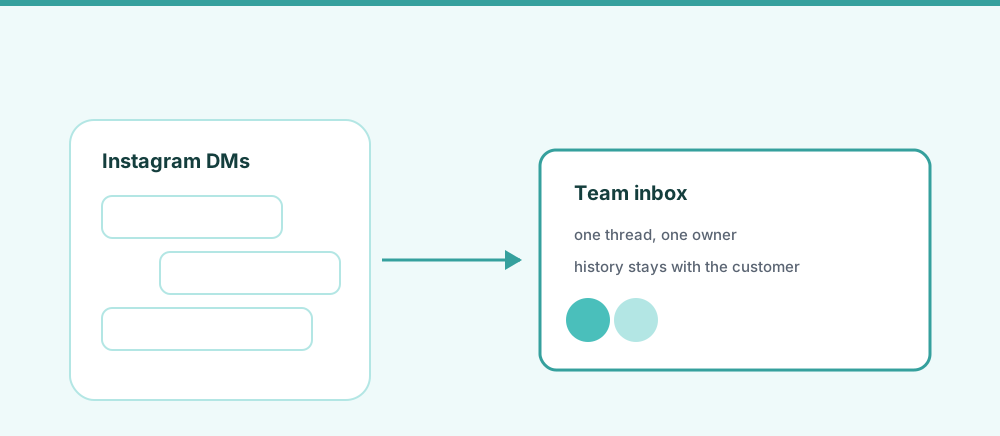
An Instagram DM shared inbox is a single queue where several team members read, assign, and reply to your Instagram direct messages, each with their own login, without anyone holding the Instagram password.
The password point is not incidental. The common workaround is sharing the account credentials, which means no record of who answered what, a login that has to change whenever someone leaves, and a security posture that will not survive contact with anyone who asks about it.
A shared inbox connects to the account through Instagram's own permissions instead. Nobody gets the password, and access is revoked by disconnecting the tool.
Two settings gate everything#
Before any tool can read your DMs, two things have to be true. Teams routinely lose an afternoon to this.
1. The account must be a Professional account. Instagram distinguishes personal accounts from Professional ones, which come in Business and Creator flavours. Third-party messaging access is only available to Professional accounts. Switching is free and reversible, in Instagram settings under account type.
2. Message access must be turned on. There is a setting, generally found under Settings, then Messages or Privacy, along the lines of allowing access to messages. If it is off, a connected tool authenticates successfully and then sees no messages at all. It looks like the integration is broken when the integration is fine.
Most setups also expect the Instagram account to be linked to a Facebook Page, since Instagram messaging permissions are granted through Meta's shared platform. Exact menu names move around between app versions, so if you cannot find a setting where a guide says it is, search Instagram's help rather than assuming your account is ineligible.
Story replies and mentions arrive as DMs#
This one changes how you staff the inbox.
When someone replies to your story, that reply is a direct message. Same for a story mention. So the volume in your DM queue is not just people deliberately writing to you: it includes every reaction to whatever you posted this morning.
Practically, that means:
- DM volume tracks your posting schedule. Post a story with a question in it and the inbox fills. That is a planning input, not a surprise.
- Not everything needs a reply. A fire emoji reacting to a story is not a support request. A queue that treats it like one will drown.
- Context is missing. A reply reading "how much?" makes no sense without knowing which story it answered. Good tooling shows the story or post that prompted it, and if yours does not, agents will be guessing.
The 24-hour window applies here too#
Instagram messaging runs on Meta's platform, so it inherits the same standard reply window as Facebook Messenger: roughly 24 hours from the customer's last message for replies sent through the API, after which ordinary replies are refused and only specific exceptions apply.
The same warning applies. This is a platform rule, identical for every tool, and no vendor can lift it. Meta publishes the current limits and exceptions, and they change, so check the source rather than a blog post.
For an Instagram-led business the window bites harder than it does on Facebook, because a lot of DM volume arrives in the evening when nobody is watching. A message that lands at 9pm Friday can be outside the standard window before anyone opens the app on Monday.
Message requests are a second queue#
Messages from people who do not follow you land in a requests area rather than the main inbox, and they need accepting before the conversation behaves normally.
For a support inbox this is exactly backwards. A first-time customer asking whether you ship to their country is, by definition, often not a follower yet. That is your highest-value message and it is the one sitting in a tab nobody checks.
Whatever setup you use, make checking requests somebody's explicit job.
Instagram alone is not the goal#
It is worth being blunt about this. Solving Instagram DMs in isolation gets you a fourth tab.
The teams that actually fix their support load put Instagram DMs, Facebook Messenger, email, and website chat into one queue with one set of agents and one definition of "answered". Instagram is usually the trigger because it hurts most, but it is rarely the whole problem.
| Instagram app | Shared inbox | |
|---|---|---|
| Multiple agents, own logins | No, shared password | Yes |
| Assign a DM to one person | No | Yes |
| See who is already replying | No | Yes |
| Internal notes | No | Yes |
| Story reply context | Partial | Yes |
| Message requests surfaced | Separate tab | Same queue |
| Facebook, email, and chat too | No | Yes |
| Response time reporting | No | Yes |
Meta Business Suite covers the first several rows for Instagram and Facebook together, free, and is the right starting point if those are your only two channels. The case for a dedicated tool is email and chat in the same queue, firmer assignment, and reporting.
Getting set up#
- Switch to a Professional account if you have not already.
- Turn on message access in Instagram settings, then confirm the account is linked to your Facebook Page.
- Connect through the tool's Instagram login. You are granting an app permission, not sharing credentials.
- Assign owners so two agents never answer the same DM.
- Give message requests to someone by name.
- Add your other channels once Instagram is running.
HelpStack puts Instagram DMs, Facebook Messenger, WhatsApp, email, and website chat in one shared inbox, with AI reply drafting a human approves before it sends and two-way translation for customers who do not write in your language. The free plan is enough to run it next to your current setup for a week.
The Facebook shared inbox guide covers the Page side of this, and the shared inbox pillar covers whether you need one at all.
Next steps#
Open your Instagram message requests right now and see how old the oldest unanswered one is. For most teams that number is the honest measure of whether this is a problem worth tooling for.
Frequently asked questions
- Can two people answer Instagram DMs at the same time?
- Not from the Instagram app, which assumes one person on one account and offers no assignment or collision prevention. Sharing the password gives several people access but no record of who replied. A shared inbox connects through Instagram permissions instead, giving each agent their own login plus visible ownership on each conversation.
- Why can a tool not see my Instagram messages after connecting?
- Almost always one of two settings. The account must be a Professional account, Business or Creator, because third-party messaging access is not available to personal accounts. And message access must be enabled in Instagram settings. With that switch off, a tool authenticates successfully and then receives nothing, which looks like a broken integration but is not.
- Do story replies count as direct messages?
- Yes. Story replies and story mentions arrive in the DM queue like any other message, which means your DM volume rises and falls with your posting schedule. It also means a lot of that volume is reactions rather than questions, so a queue that treats everything as a support request will feel much busier than it is.
- What happens to messages from people who do not follow me?
- They go to message requests rather than the main inbox and need accepting first. This matters for support because first-time customers are often not followers yet, so some of your highest-intent questions sit in a tab that nobody routinely checks. Make it an explicit responsibility, or use a tool that surfaces requests in the same queue.
- Is there a time limit for replying to Instagram DMs?
- Yes. Instagram runs on Meta’s messaging platform, so the same standard window of roughly 24 hours from the customer’s last message applies to replies sent through the API. After that, ordinary replies are refused and only specific exceptions apply. It is a platform rule that affects every tool equally. Check Meta’s current documentation for exact limits, since they change.