
WooCommerce plugin
HelpStack for WooCommerce
Connect your WooCommerce store to HelpStack. Get AI answers for order and product questions, a storefront chat widget, and a support inbox, all inside WordPress.
Install from WordPress.orgRequires WooCommerce and PHP 7.4+.
Can't install from the directory? Download the plugin zip instead.
Install from WordPress.org
- 1
Search and install
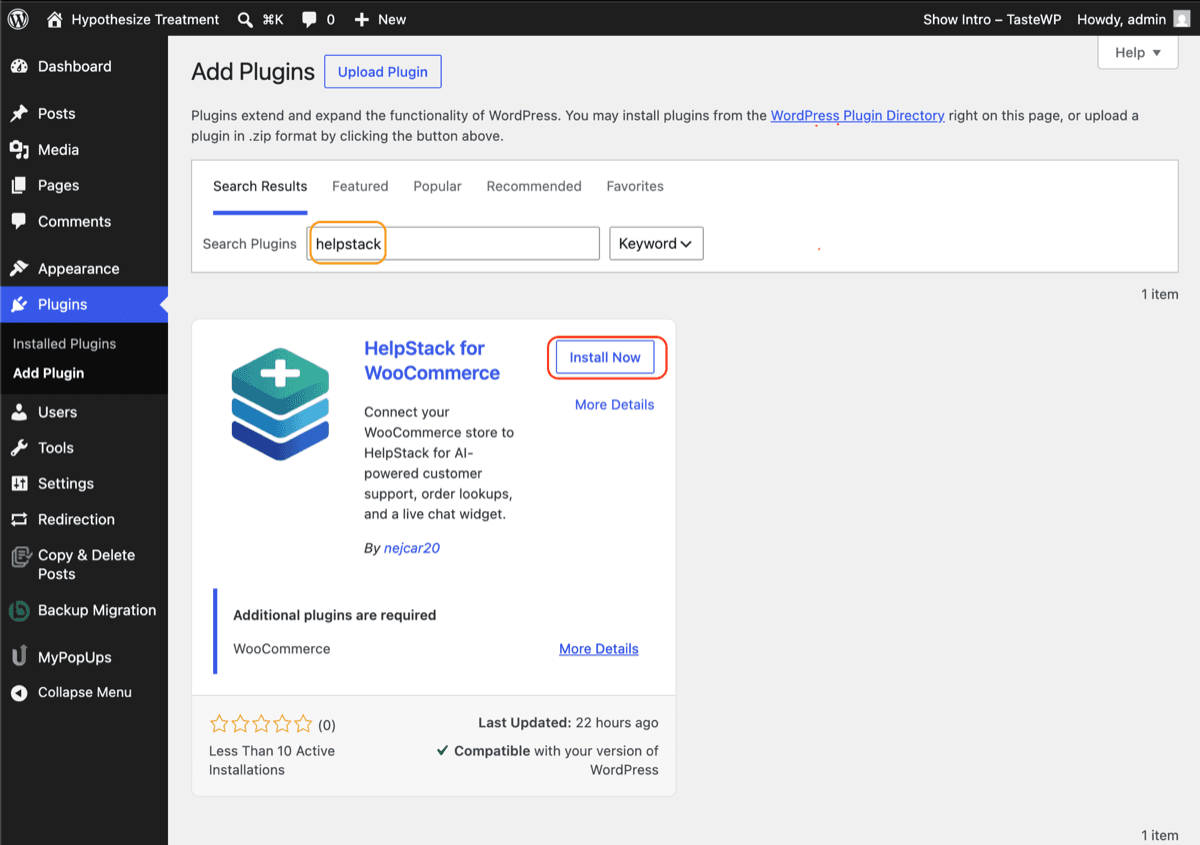
In your WordPress admin, go to Plugins → Add Plugin, search “helpstack”, and click Install Now on HelpStack for WooCommerce. WooCommerce must already be active on the site.
- 2
Activate it
Click Activate. A HelpStack menu appears under WooCommerce.
- 3
Connect your store
In your HelpStack dashboard, go to Settings → Integrations → WooCommerce and click Connect to get a pairing code. Paste it into WooCommerce → HelpStack in wp-admin and click Connect. The code expires after about 15 minutes, so grab a fresh one if it times out.
Need more detail? Read the full setup guide.
Can't install from the directory?
If your host blocks installing plugins from wp-admin, requires manual review, or your site is air-gapped, install the plugin zip by hand instead.
- 1
Upload the plugin
In your WordPress admin, go to Plugins → Add New → Upload Plugin, choose the zip you downloaded, and click Install Now.
- 2
Activate it
Click Activate. A HelpStack menu appears under WooCommerce.
- 3
Connect your store
Same as the directory install: go to Settings → Integrations → WooCommerce in HelpStack, click Connect for a pairing code, then paste it into WooCommerce → HelpStack in wp-admin and click Connect. Codes expire after about 15 minutes.